RabbitMQ feature flags (version < 1.28.0, recommended)
Recommended setting when upgrading from a version lower than v1.28.0
We recommend enabling all stable RabbitMQ feature flags. This can significantly speed up and stabilize your platform, especially if it has many vhosts (one per queue). On codabench.org, RabbitMQ startup time went from ~5 minutes to ~10 seconds.
Warning
Before enabling them, check that all these feature flags are compatible with your environment. A feature flag cannot be disabled once enabled.
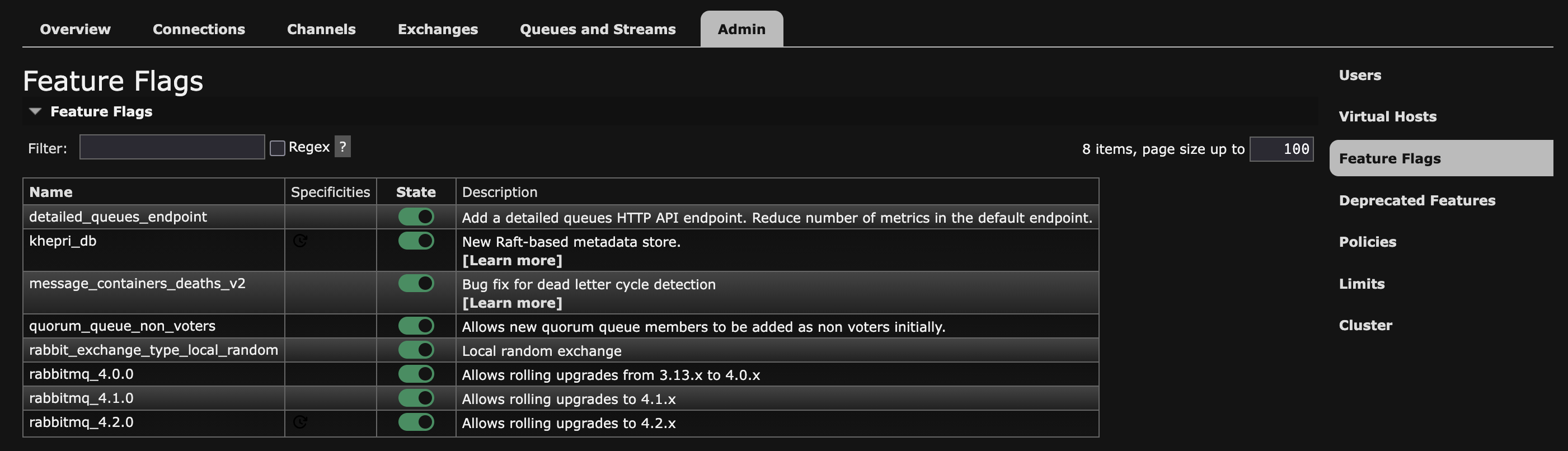
You can enable them in one of these two ways:
- From the RabbitMQ management interface, in the Admin > Feature Flags tab. It is accessible from your site address on the port defined by
RABBITMQ_MANAGEMENT_PORTin your.envfile (15672 by default), with the username and password also defined in the.envfile.
- From the command line, by running this command in the RabbitMQ container:
More information about feature flags and Khepri, the new default metadata store.