Postgres 18 upgrade (version < 1.24.0)
After upgrading from Codabench <1.24.0, you will need to perform important manual interventions.
Rabbit
We also need to log into the RabbitMQ interface and enable the flags it wants us to enable after upgrading.
RabbitMQ port, username and password to access the interface are defined in the .env file.
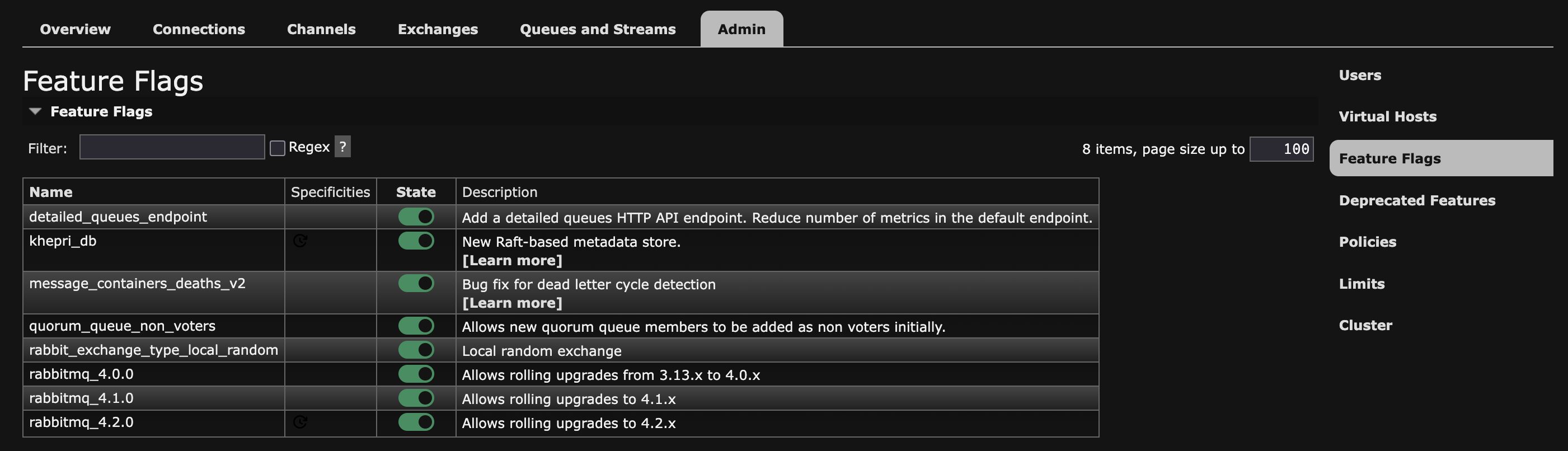
More information about feature flags here
Database (Postgres 12 -> 18)
1. Maintenance mode on to avoid update on the database during the upgrade:
2. Create the new postgres.conf file from the sample:
3. Rebuild docker containers to take into account the new images:
4. Dump the database, remove it and reload it on the new configuration:
Bash
# Dump database
docker compose exec db bash -lc 'PGPASSWORD="$DB_PASSWORD" pg_dump -Fc -U "$DB_USERNAME" -d "$DB_NAME" -f /app/backups/upgrade-1.24.dump'
Bash
# Check that dump file is not empty
docker compose exec db bash -lc 'ls -lh /app/backups/upgrade-1.24.dump && pg_restore -l /app/backups/upgrade-1.24.dump | head'
/! Dangerous operation here: confirm that your dump worked before removing the database!
Bash
# Launch the new containers (containing the updated databse image and Restore from backup)
docker compose up -d db
docker compose exec db bash -lc 'PGPASSWORD="$DB_PASSWORD" pg_restore --verbose --clean --no-acl --no-owner -h $DB_HOST -U "$DB_USERNAME" -d "$DB_NAME" /app/backups/upgrade-1.24.dump'
See this for more details.